I thought it would be a good idea for me to give a a small tutorial on basic home networking issues, which many may find useful when diagnosing connectivity issues.
A modern, typical home network may look something like this:
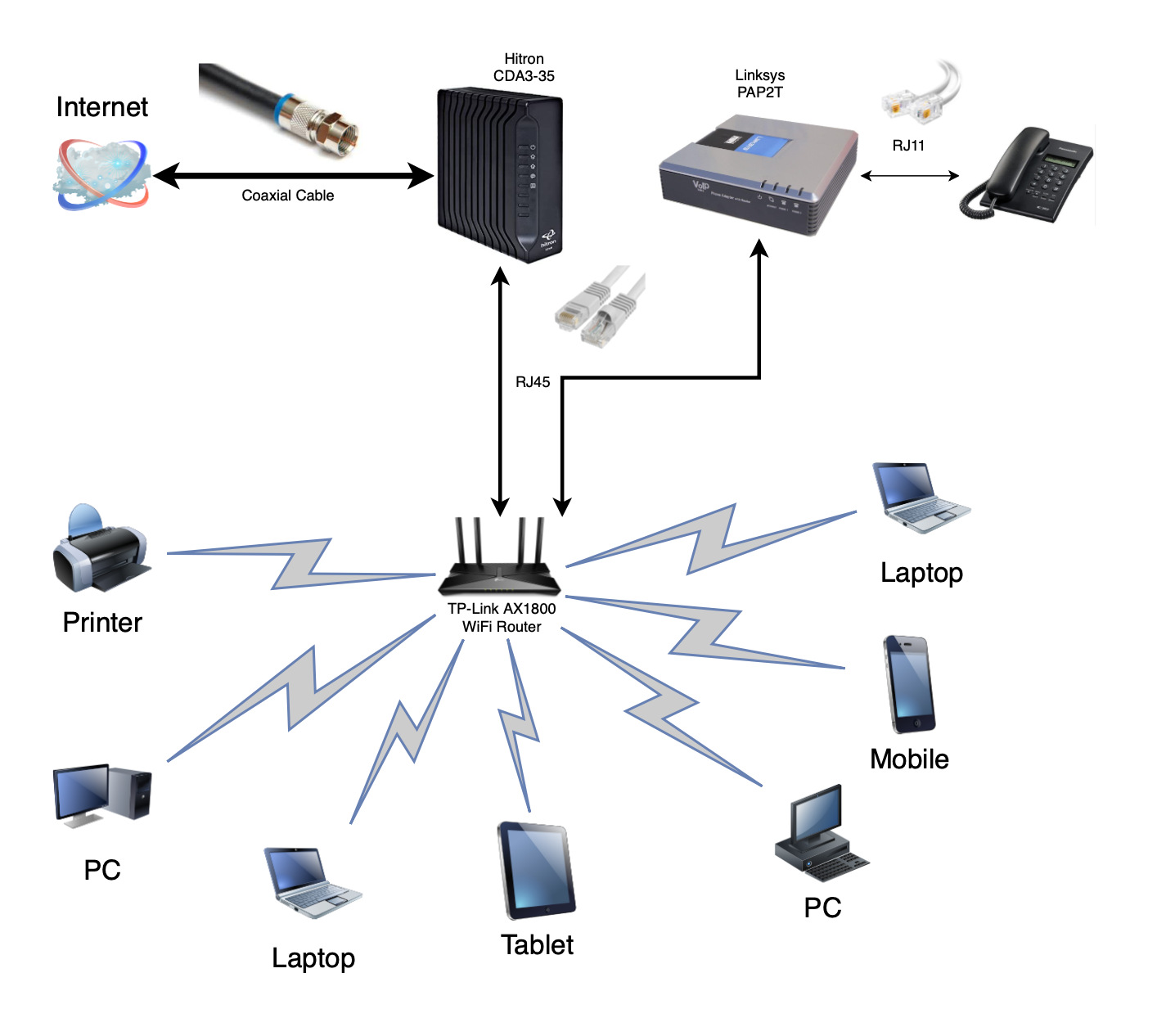
Most people in our neighbourhood will have a cable based Internet access.1 Internet comes through via the coaxial cable, like the traditional cable that you used for your cable TV. This cable is connected to a cable modem, which in our case is the Hitron CDA3-35. The cable modem then makes the Internet accessible via classic networking cables with RJ45 plugs. Think of the cable modem as your main door to the Internet and nothing else. Since this box is typically provided by your cable company, you should probably not trust it, so it is a main door without a lock.
Some cable modems also do Wi-Fi, like the new Rogers Ignite Hubs. For best performance and better security,2 I would recommend configuring the cable modem in bridge mode and not in gateway or router mode. This means that it should not be the box provisioning and managing your network, and it will have its Wi-Fi functionality turned off. This also avoids double NAT-ing, something to be avoided in your home, in my opinion.3
You should invest in your own Wi-Fi access by purchasing something like the TP-Link AX1800 WiFi Router.4 This box provisions your residential network and your local Wi-Fi. You can purchase more advance / expensive Wi-Fi solutions here depending on the size and complexity of your residential layout.
If you have more than one Wi-Fi access point, I would recommend that they all have the same SSID but on different Wi-Fi channels. This will make it convenient and optimal for your Wi-Fi devices. Also keep in mind that some old / cheap IoT devices only like the 2.4GHz band. If you are in that situation, then you should create a specific 2.4GHz network with a different SSID.
If you want to try out VOIP (Voice-Over IP), you may also connect a VOIP Adapter. In our example, we have the Linksys PAP2T box. I am not going to go into details of how to acquire VOIP, or set it up, but this box effectively converts Internet traffic into voice traffic. Traditional landline phones can be linked up to the VOIP adapter using normal phone cables.
Okay, now that we have the different parts of the network defined, let us present a basic diagnostic workflow.
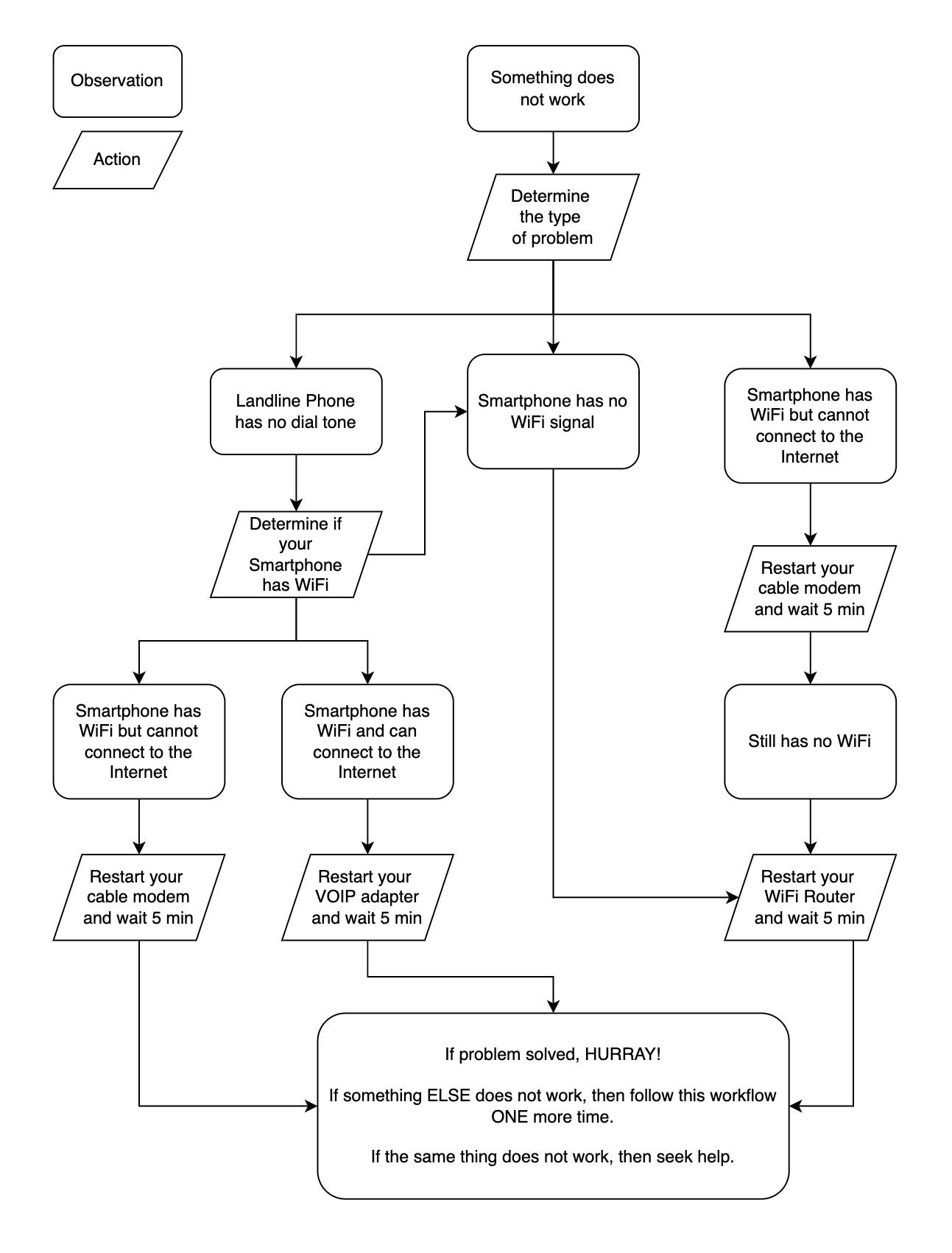
I hope the above introduction to the different parts of your home network and a workflow that you can follow will assist you in resolving some common connectivity issues in your home.