
In a previous post, I discussed creating a brand new VDEV with new drives to replace an existing VDEV. However, there is another approach that I chose to use in a very recent event for my NAS (Network Attached Storage) hard drive when it started to encounter write errors and later checksum errors.
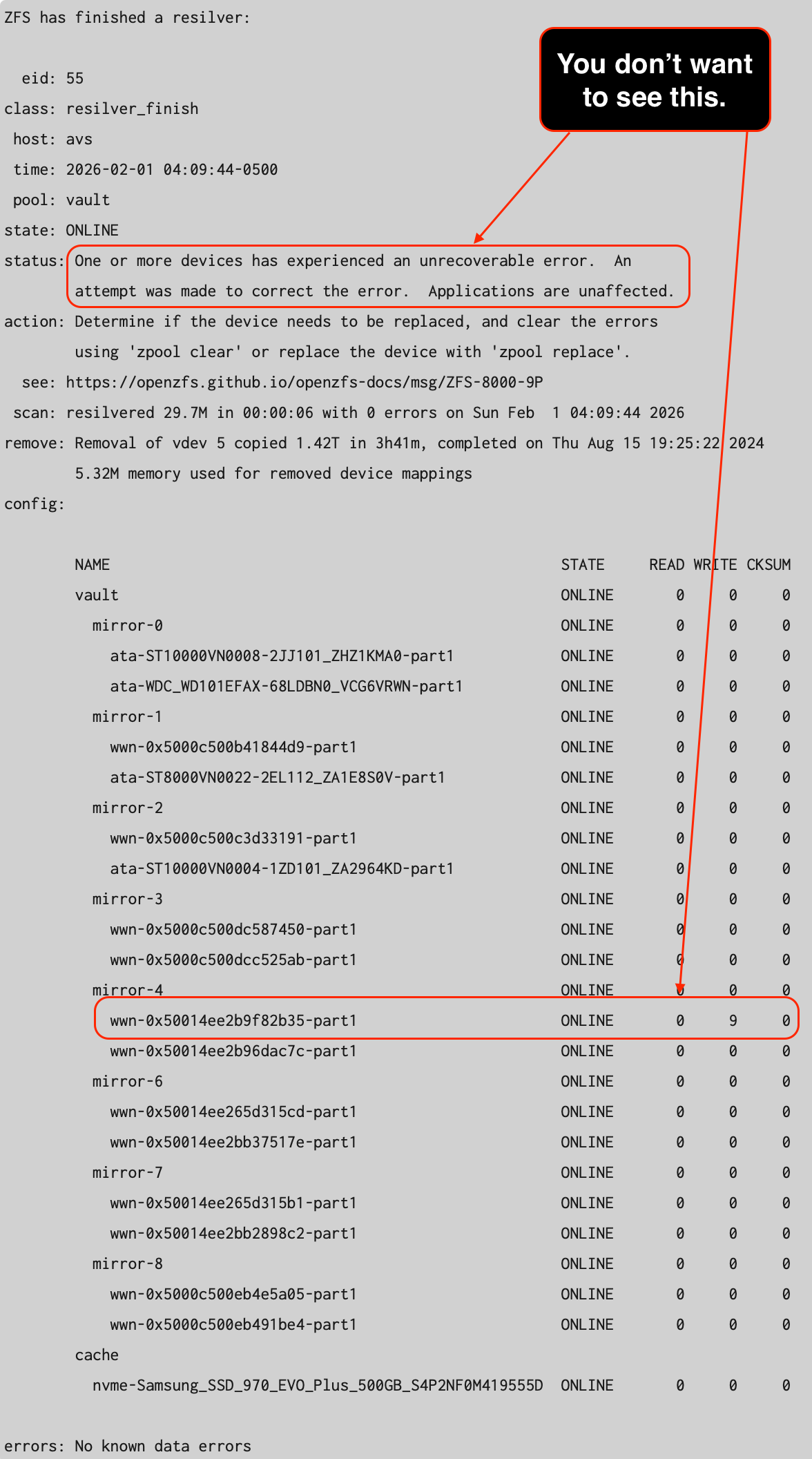
The affected VDEV is mirror-4. Since there are 16 hard drives involved in this storage pool, I had to find out which hard drive is having the issue. I had to perform the following command line operations to obtain the serial numbers of the drives within the VDEV.
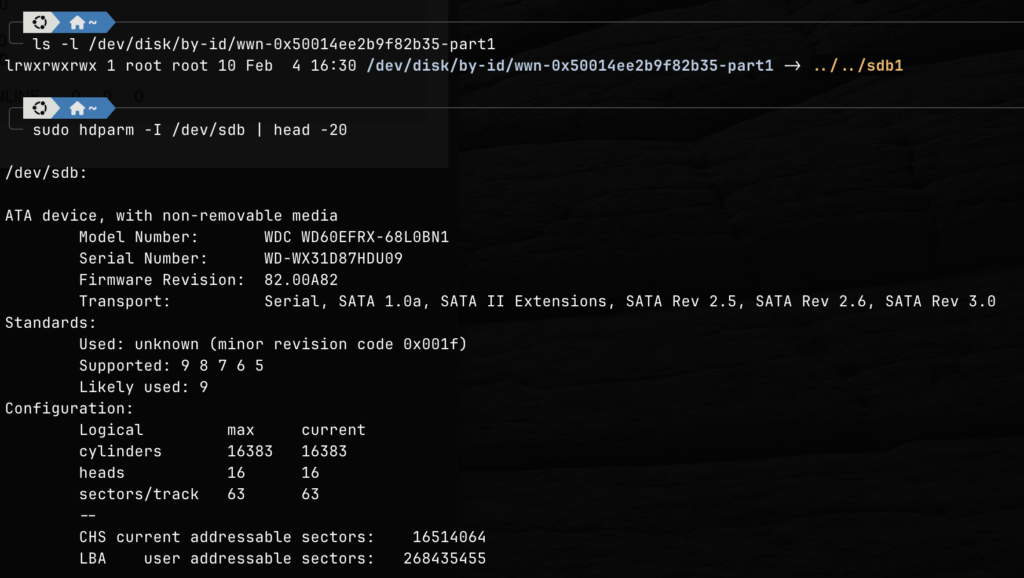
It was the WD60EFRX drive that failed. This is a WD60EFRX Western Digital Red 6TB 5400RPM drive. I was curious to see how old is the drive, so I used the smartctl utility to find out the number of powered on hours that this particular drive endured.
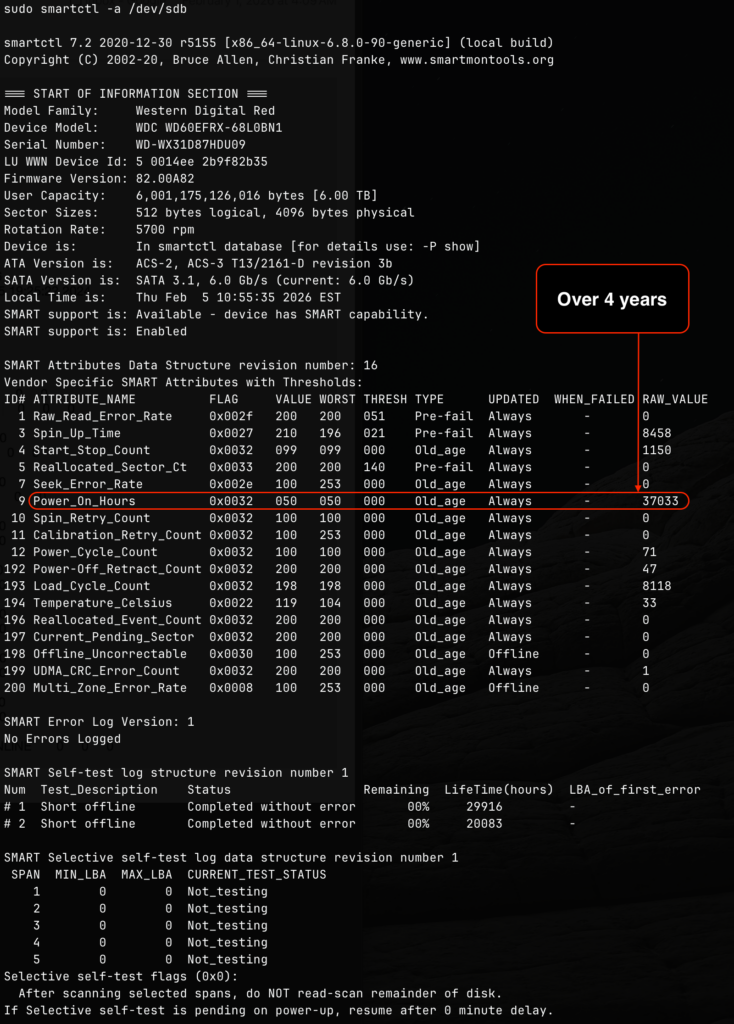
The 4.2 years (37033 / 24 / 365 = 4.2) is well over the 3 years warranty promised by Western Digital, so I took this unfortunate opportunity to get two new Seagate IronWolf Pro 12TB Enterprise NAS Internal HDD Hard Drive. The idea is not just to replace the drive with issue but also to expand the pool, and get an extra 6TB drive from the existing mirror that is still good, and use it as part of my offline backup strategy.
Once the new drives arrived and connected to the system, I simply performed an attach command to add them to the mirror VDEV.
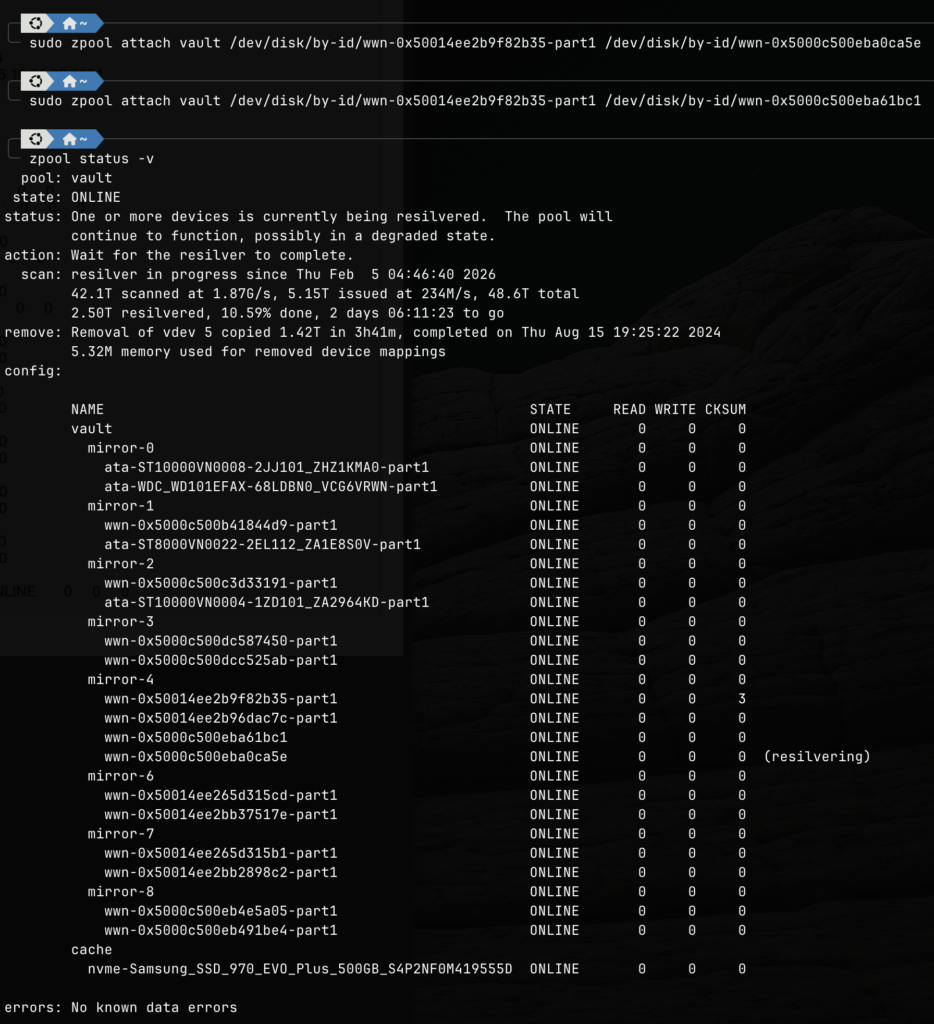
After attaching the new drives, the zfs pool begins to automatically resilver. The above image was taken several hours after the attachment, and we are now waiting for the last drive to complete its resilvering. Since one of the new drive has already completed its resilvering, this means we have regained full redundancy.
After the resilvering is completed, I will then detach both old drives from the mirror using the detach command.
zpool detach vault /dev/disk/by-id/wwn-0x50014ee2b9f82b35-part1
zpool detach vault /dev/disk/by-id/wwn-0x50014ee2b96dac7c-part1
The first drive will be chucked into the garbage bin, and the second drive will be used for offline backup. Before I use the second drive for offline backup, I need to remove all zfs information and meta data from the drive to avoid any unintentional future conflicts. We do this using the labelclear command like below.
zpool labelclear /dev/disk/by-id/wwn-0x50014ee2b96dac7cFor extra safety, we can also destroy the old partition by using parted and relabeling the disk and create a new partition table. If the above command fails, we can use the dd command to just zero out the first few blocks of the drive.
dd if=/dev/zero of=/dev/disk/by-id/wwn-0x50014ee2b96dac7c bs=1M count=100In summary, this is the general strategy moving forward. When a drive on my NAS pool starts to fail (before actual failure), I take the opportunity to replace all the drives in the entire mirror with higher capacity drives, and use the remaining good one to serve as offline backup.