
Over the past few years I have developed several services that can be accessed using a web site. Many if not all of these sites require authentication. In the past I have typically adopted a typical user id and password technique, and more recently an email based authentication along with the user’s external IP address, so that they do not need to be burdened with remembering the password.
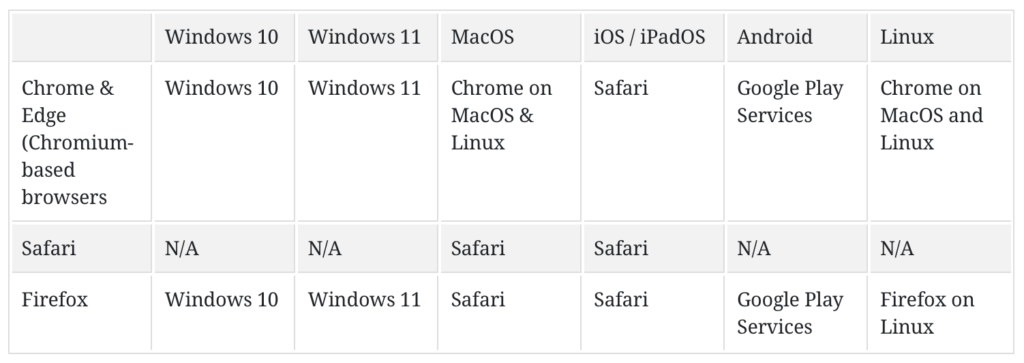
When my iPhone started to adopt the WebAuthn passkey solutions I wanted to make use of this convenient solution for my sites as well. As you can see from the chart below, the adoption across the different platforms and devices are now universal.
I went about to develop my own identity provider server using the python WebAuthn package. Why did I develop my own solution and instead of using one of the open source solution? I wanted to learn how this works, and what better way to do it than implementing my own version. I also wanted to customize it based on a list of authorized email with the ability to track and manage the access.
This was also the first solution where I used AI to help me vibe code the browser side of the solution. It used the navigator.credentials object to do most of the heavy lifting. The AI generated code at the time is fraught with many errors and bad assumptions which I had fix manually. This was more than a year ago, so I am sure things have improved by now.
In the end, I deployed this custom identity service on auth.lufamily.ca. This custom service also handled the email authentication flow, which goes something like this:
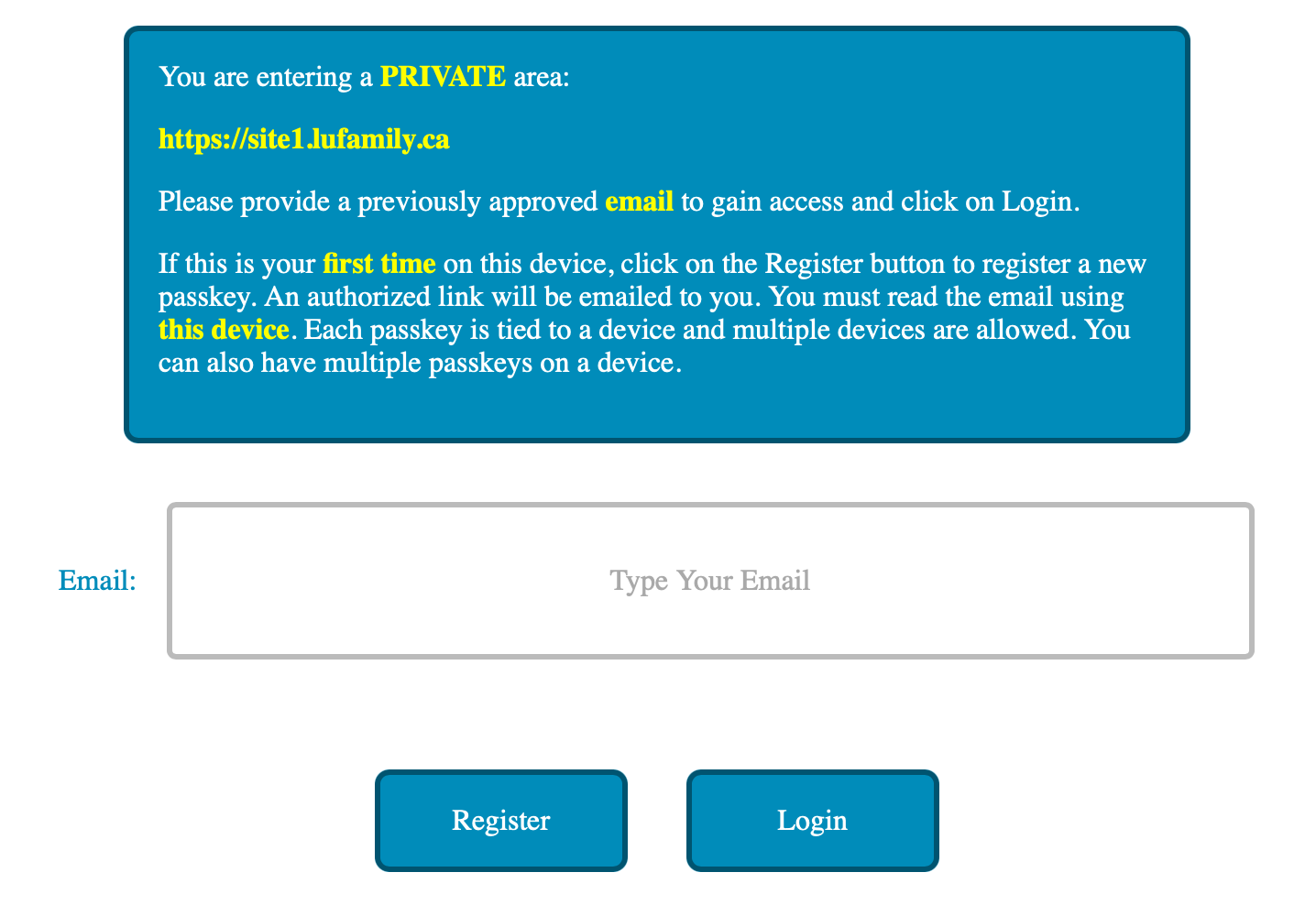
There are no passwords with the above approach. All the users need to remember are the email addresses that they used to register with the site access. The login and registration page looks like this:
For access provisioning, I simply use a JSON file to bind the email address to the allowed web sites. Below is an example:
{
  "jdoe@gmail.com": [
    {
      "user": "John",
      "site": "https://site1.lufamily.ca"
    }
  ],
  "jane.doe@icloud.com": [
    {
      "user": "Jane",
      "site": "https://site1.lufamily.ca"
    },
    {
      "user": "Jane",
      "site": "https://site2.lufamily.ca"
    }
  ]
}
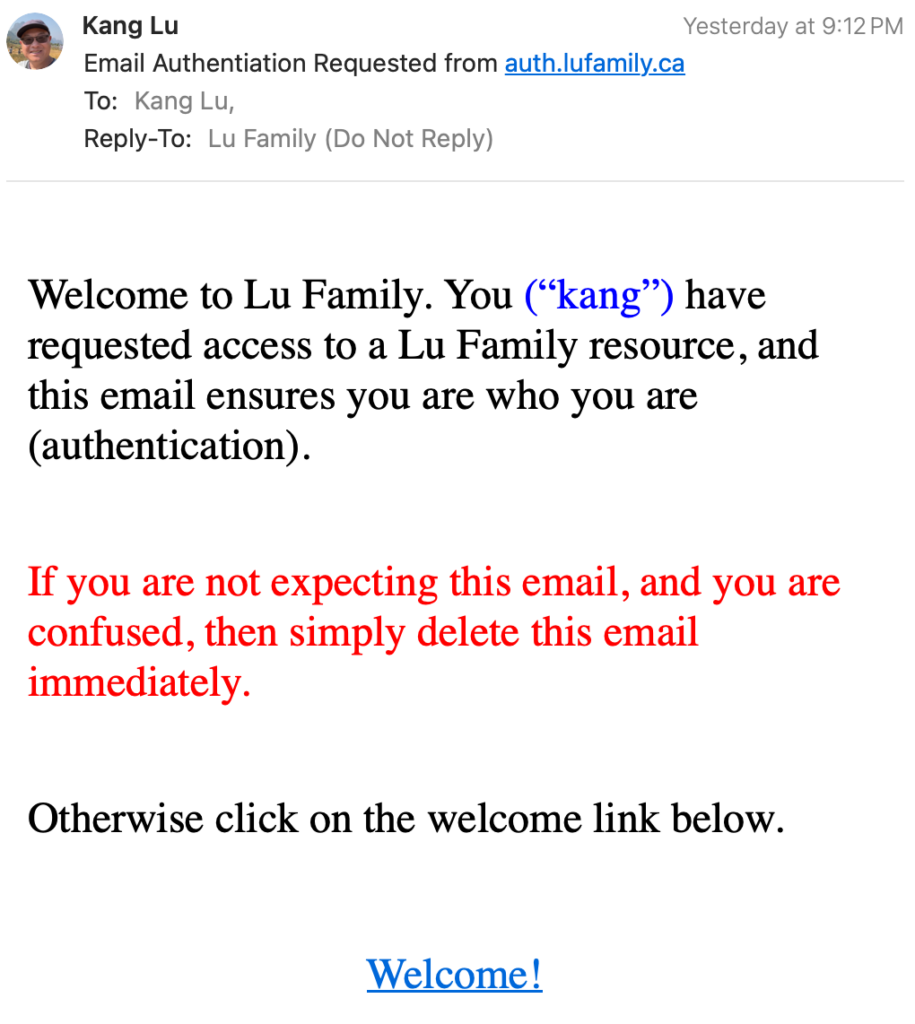
When the user registers, they will receive an email looking like:
In the beginning, I wrote custom code on my web site to use my identity service. However I found out I can write an Apache Lua script to check for token provisioning and invoking of the identity service. This way I can add authentication to any sites that I host with Apache2 web server with a virtual host configuration that looks like this:
<VirtualHost *:80>

  <Location / >
    LuaCodeCache forever
    LuaHookAccessChecker /path/to/checkAuthLuFamily.lua handle

    RewriteEngine On

    RewriteCond %{ENV:token} ^$
    RewriteRule ^ https://auth.lufamily.ca/register/%{ENV:cbsite}" [L,R=302]

    Header set Set-Cookie "token=%{token}e; Max-Age=1800; Path=/; HttpOnly; Secure; SameSite=Strict" env=token
  </Location>

</VirtualHost>
The checkAuthLuFamily.lua script is used to check if a token is provided either as an HTTP GET parameter, Authorization Bearer value, or a secure, http-only cookie. The token is actually a JWT token containing user specific attributes derived from the JSON file earlier. This token is provisioned when authentication is successful. If the token is missing, then this means the user has yet to be authenticated so we automatically redirect them to the registration page. If the token is valid, then the script will store a new refreshed token with extended expiry (another 30 minutes) into the environment variable which we use to reset the cookie. Any future requests to the same site will preserve the cookie/token.
I love this flexibility. This means I can add authentication to any site that I host with Apache2 without changing the code or modifying the site. This also means that I can develop future sites and services without having to worry about authentication.
I have not provided the source code here, because I am still testing it, but I wanted to document the concept and the approach, so that I can refer to my own creation in the future.